




SCADA
A real-world SCADA system can monitor and control hundreds of I/O points.

Used by engineers and scientists for iterative analysis and design processes.

High level language for numerical computation, visualization and application development
Tools for building applications with custom graphical interfaces
Using the Statistics, Machine Learning and Neural Network Toolbox
Creating reports interactively, Report Explorer & pro-grammatically in MATLAB
MATLAB is an abbreviation of Matrix Laboratory, which is developed by MathWorks to provide a platform for engineers and scientists to perform numerical computing. MATLAB has a worldwide presence and is widely used in various fields of engineering, science, and economics. CAD DESK’s MATLAB Electrical Course in Jaipur helps students to get the best software training and lets them understand all the important tools and commands of the software.
MATLAB provides an easy-to-use environment for math and computation, algorithm development, data analysis, scientific and engineering graphics, and exploration and visualisation. Also, MATLAB is compatible with Windows, macOS, and Linux operating systems. CAD DESK provides software training on a wide range of software in the field of CAD, CAM & CAE, and they also put great emphasis on prioritising quality training for students. Further, while taking the coaching classes for MATLAB, students are encouraged to do an internship and also get an option to go for industrial visits.
While learning from CAD DESK coaching classes, students also get 100% Placement. Along with that, during the classes, students get many other facilities including study materials, e-books, various tutorials & projects related to their software course, which works as an additional benefit to them. Further, students get the option to transfer to any of our franchise centres in India, even if they have enrolled at CAD DESK Jaipur or at any other CAD DESK centre. At the end of the course, CAD DESK students get a certificate for MATLAB, which is completely verified and provides great recognition to the students in the industry.
Engineers and scientists worldwide use MATLAB for numerical computing, and CAD DESK’s MATLAB Electrical Classes in Jaipur give you complete hands-on training in this powerful tool. The course covers MATLAB basics, matrix operations, 2D and 3D plotting, GUI design, and MATLAB Simulink for circuit- and equation-oriented modelling, along with programming fundamentals like loops, functions, and conditional statements. You’ll also explore advanced topics such as image processing and symbolic math, including calculus, linear algebra, and differential equations. This electrical simulation training is ideal for engineering students and professionals working on analysis, design, and automation projects. Upon completion, you receive an ISO-verified certificate along with 100% placement support to build your career in electrical simulation and design.
Character and string
Arrays and vectors
Column vectors
Row vectors
BODMAS Rules
Arithmetic operations
Operators and special characters
Mathematical and logical operators
Solving arithmetic equations
Crating rows and columns Matrix
Matrix operations
Finding transpose, determinant and inverse
Solving matrix
Trigonometric functions
Complex numbers
fractions
Real numbers
Complex numbers
Working with script tools
Writing Script file
Executing script files
The MATLAB Editor
Saving m files
Plotting vector and matrix data
Plot labelling, curve labelling and editing
Basic Plotting Functions
Creating a Plot
Plotting Multiple Data Sets in One Graph
Specifying Line Styles and Colors
Graphing Imaginary and Complex Data
Figure Windows
Displaying Multiple Plots in One Figure
Controlling the Axes
Creating Mesh and Surface
About Mesh and Surface Visualizing
Subplots
Introduction Of Graphical User Interface
GUI Function Property
GUI Component Design
GUI Container
Writing the code of GUI Callback
Dialog Box
Menu Designing
Applications
Introduction Of Simulink
Simulink Environment & Interface
Study of Library
Circuit Oriented Design
Equation Oriented Design
Model
Subsystem Design
Connect Call back to subsystem
Application
Automating commands with scripts
Writing programs with logic and flow control
Writing functions
Control statement Programming
Conditional Statement Programming
Examples
Control Flow Conditional Control — if, else, switch
Loop Control — for, while, continue, break
Program Termination — return
Writing user-defined functions
Built-in Function
Function calling
Return Value
Types of Functions
Global Variables
Importing and Visualizing Images
Importing and displaying images
Converting between image types
Exporting images
Interactive Exploration of Images
Obtaining pixel intensity values
Extracting a region of interest
Computing pixel statistics
Measuring object sizes
Creating a custom interactive tool
Preprocessing Images
Adjusting image contrast
Reducing noise in an image
Using sliding neighborhood operations
Using block processing operations
Calculus: Numerical Integration
Linear Algebra
Roots of Polynomials
Algebraic equations
Differential Equations (1st & 2nd order)
Transforms (Fourier, Laplace, etc)
Ordinary Differential equations
Examples of few ODEs
CAD DESK is a pioneer in CAD/CAM/CAE training and most of the industries give great recognition to its certificate throughout India and abroad. MATLAB Electrical Training Certificates are ISO verified which makes it highly reputed comparing to the other local brands and helps the student get prioritize while going for job opportunities in the industry. CAD DESK Software Training is conducted by highly knowledgeable trainers which help students to enhance their skill set by putting great emphasizes on project-based learning.






CAD DESK has a team of highly skilled trainers, who focus on delivering well standard and quality training to each of its learners. MATLAB Electrical Course trainers have professional degrees and have more than 5 years+ of experience in the stream of CAD, CAM, and CAE. Along with that, they are certified from prestigious institutes and have esteem knowledge of their courses which helps the learners to enhance their skills and meet the industry requirements. Our courses are not just based on theoretical concepts; in fact, it puts a great emphasis on industry-driven learning which is being regularly updated
Explore More Apply Now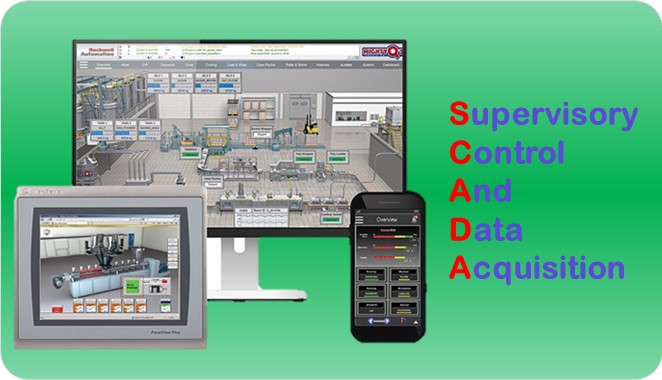
A real-world SCADA system can monitor and control hundreds of I/O points.
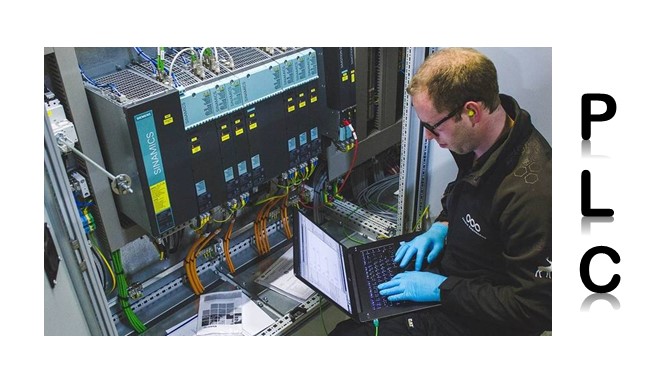
(PLCs) are one of the most useful technologies in the industries for automation
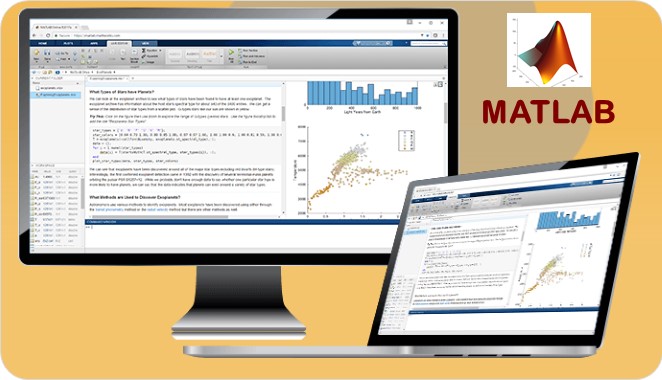
Used by engineers and scientists for iterative analysis and design processes.
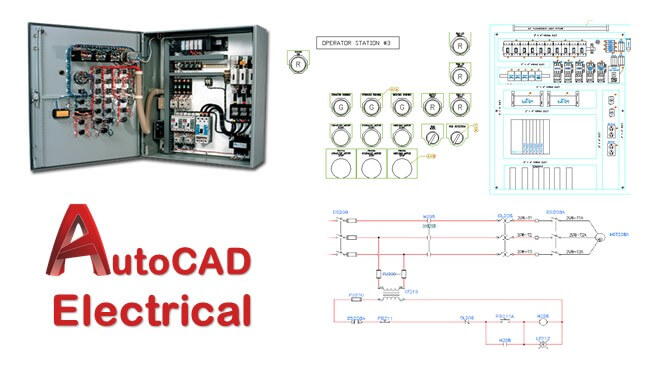
Most powerful programs have commands like wiring, circuiting, PLC modules, panels, and more.

It provides unlimited possibilities for planning, documentation, and mgmt. of electrical projects.
Fill out the form below and our team will get back to you shortly.